
If you are interested in financing to fund your Bay-Lynx purchase, we recommend that you connect with Easylease Corp., a Canadian-based leasing and finance company that offers premier equipment leasing and financial services. They are focused on making it easier than ever before for companies to overcome cash flow and resource constraints to acquire the assets they need to grow their business.
Leasing through Easylease Corp. can offer several benefits:
Click here for your Canadian instant lease quote >>
For US customers, Click here for your instant lease application >>
Choosing the best Ethernet Humidity Sensor requires more than comparing accuracy figures on a product page. In a greenhouse, warehouse, laboratory, or server room, humidity can change quickly after irrigation, door openings, or cooling cycles. A reliable sensor should capture these changes and deliver stable readings through an existing network. It should also fit the environment, not merely look impressive in a specification sheet.
Real-world selection starts with the measurement range, stated accuracy, temperature compensation, and response time. Check whether the device supports familiar protocols, such as Modbus TCP or SNMP, and whether its power requirements match the installation. A PoE model may simplify cabling. An IP-rated enclosure can protect the sensor near dust or condensation, but no enclosure removes every placement risk. Avoid mounting the probe beside vents, heaters, or frequently opened doors. Small details matter.
Calibration evidence matters too. Look for a traceable certificate, clear maintenance guidance, and a documented replacement process. Secure firmware updates and controlled network access deserve attention, especially in connected facilities. No sensor is perfect. Even a high-quality unit may drift over time or react poorly to sudden condensation. That assumption can fail. This guide examines practical specifications, installation habits, data reliability, and long-term ownership costs. It also considers a common mistake: choosing the most precise sensor instead of the most suitable one. Careful comparison, field experience, and honest attention to limitations can lead to a more dependable humidity monitoring system.
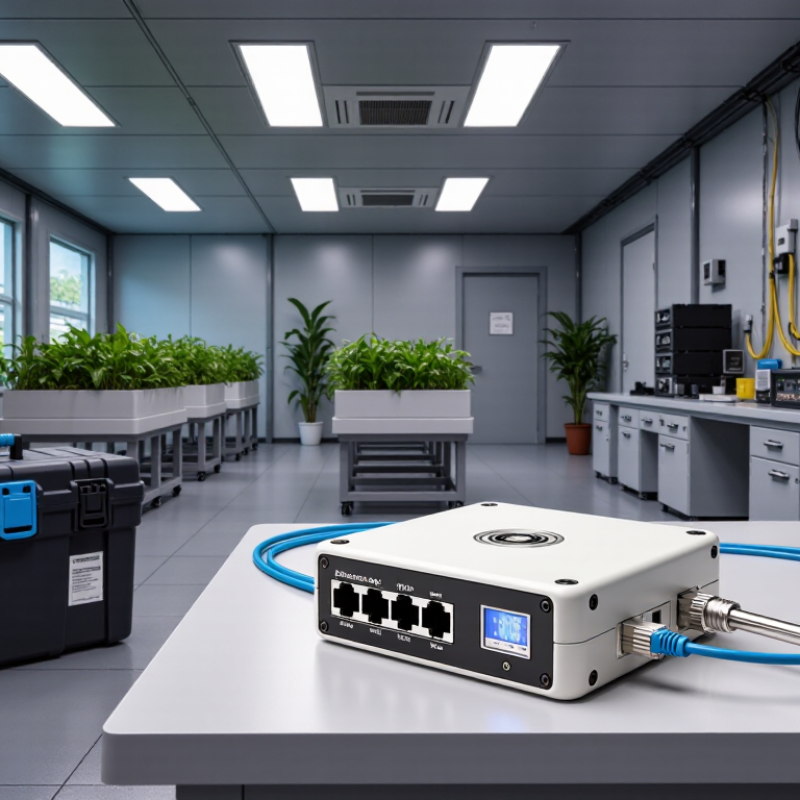
An Ethernet humidity sensor measures relative humidity and sends readings through a wired network. Inside, a polymer sensing element changes capacitance as moisture enters its structure. Firmware converts that change into humidity, temperature, and sometimes dew-point values. The network interface publishes data through HTTP, MQTT, or SNMP. With Power over Ethernet support, one cable can carry both power and data.
Small detail, major consequence: cable quality affects uptime.
The U.S. Environmental Protection Agency recommends indoor relative humidity between 30% and 50% for many homes. ASHRAE Standard 55 uses a dew-point boundary near 16.8°C under typical comfort conditions. These figures help define alarm thresholds, but they are not universal. A museum, server room, and greenhouse need different limits.
Choose a sensor with stated accuracy, response time, operating range, and calibration method. Accuracy alone can mislead. A slow sensor may miss a short condensation event.
Inspect the datasheet and test the sensor at its installation point. Look for sealed housing, replaceable probes, timestamped logs, and alert delivery. Confirm network security controls, VLAN compatibility, and local data access before deployment.
NIST measurement guidance emphasizes traceable results and documented calibration. This matters when readings control ventilation or protect equipment.
I would compare two units side by side for several days. They may disagree. Investigate before trusting either one.
Relative humidity accuracy should lead the selection process, not Ethernet connectivity. For offices, archives, and storage rooms, compare sensors against the expected operating range. ASHRAE guidance commonly targets 30–60% relative humidity for occupied spaces. A sensor rated at ±2% RH may be suitable there, but not for demanding laboratories. Check whether accuracy applies at 25°C, across the full range, or only under ideal conditions. The fine print matters.
Resolution is not accuracy. A display showing 0.1% RH can still measure poorly. Response time also deserves attention. The WMO Guide to Instruments and Methods of Observation, No. 8, stresses controlled testing, calibration, and response characterization for humidity instruments. In a server room, a slow sensor may miss a rapid moisture event. A fast sensor, however, can overreact to airflow. That trade-off is easy to overlook.
Temperature compensation and dew-point calculation add practical value. NIST Technical Note 1297 explains that measurement uncertainty should include calibration, repeatability, and environmental influences. Ask for a calibration certificate with traceable uncertainty, not merely a factory accuracy claim. Long-term drift is another concern. Some specifications seem excellent on day one. Six months later, the result may be different. Ethernet features still matter, including sampling interval, data logging, and alarm thresholds, but measurement stability should remain the purchasing priority.
When comparing Ethernet humidity sensors, start with the network you already operate. An RJ45 socket does not guarantee compatibility. Check whether the sensor supports 10/100 Mbps Ethernet, DHCP, and static IP configuration. Power matters too. Some units use Power over Ethernet, while others need a separate low-voltage supply.
Protocol choice affects daily use. Modbus TCP suits building controllers and simple register-based data collection. MQTT works well when measurements must reach a message broker with low bandwidth. HTTP or HTTPS may fit web-based systems, but frequent requests can increase network traffic. For industrial facilities, BACnet/IP can simplify integration with existing automation equipment. Confirm data formats, port numbers, authentication methods, and encryption requirements before installation.
Compatibility also includes software and physical conditions. Verify IPv4 or IPv6 support, VLAN behavior, firewall rules, and certificate handling. A sensor that communicates in a laboratory may fail on a restricted factory network. I have learned to test one device at the actual installation point, not only on a workbench. A 30-meter cable, a metal enclosure, and a weak network switch can expose unexpected problems. Check humidity range, response time, calibration records, and the stated accuracy at high humidity. Do not trust a protocol label alone. Read the register map and integration guide. Small omissions there can create hours of troubleshooting.
How to Choose the Best Ethernet Humidity Sensor?
What Installation Conditions Affect Sensor Performance?
A sensor can be accurate on the bench and unreliable on a cold wall. Installation conditions often matter more than the advertised accuracy. Mount the probe where air circulates naturally, not beside a supply vent, heater, door, or vibrating machine. Temperature gradients can create false relative-humidity readings. A cold metal surface may also cause condensation, damaging electronics or distorting measurements.
ASHRAE’s 2021 Thermal Guidelines commonly keep data-center humidity below 60% relative humidity, with dew-point limits also controlling condensation risk. This matters because condensation can appear before the room feels damp. IEEE 802.3 defines a 100-meter maximum Ethernet channel, but longer routes, poor connectors, and nearby power cables can increase communication faults. Shielded cable and proper grounding help, although grounding mistakes can create new interference. The cleanest installation is not always the best one.
Tips: Leave space around the sensing element. Avoid sealing it inside a crowded enclosure. Check the wall temperature, airflow, and dew point during commissioning. Compare the sensor with a calibrated reference for several hours. NIST guidance on measurement uncertainty supports documenting the reference method, environment, and instrument limits. Recheck after seasonal changes. A single test can be misleading. Even experienced installers sometimes trust a stable network signal too quickly.
| Installation Condition | Typical Operating Range or Requirement | Effect on Sensor Performance | Recommended Installation Practice | Selection Priority |
|---|---|---|---|---|
| Ambient temperature | Select a sensor rated for the actual site range; many indoor models support approximately 0–50 °C. | Temperature changes can shift relative-humidity readings because RH is temperature-dependent. Operation outside the specified range may increase error or damage the sensing element. | Avoid locations exposed to heaters, chilled surfaces, direct sunlight, or strong drafts. Allow the sensor to reach thermal equilibrium before recording data. | High |
| Relative-humidity range | For general rooms, 0–95% RH non-condensing is a common target. Condensing applications require a specifically rated design. | Near saturation, condensation can cause slow response, temporary reading errors, contamination, or permanent sensor damage if the model is not designed for it. | Use a protective filter where dust or splashing is present. Do not install a non-condensing sensor where water droplets regularly form. | High |
| Condensation and water exposure | No visible condensation for standard room sensors; use an enclosure and probe rated for the environment when water is unavoidable. | Liquid water can block diffusion paths, alter the dielectric properties of the sensing element, and create corrosion or electrical leakage. | Mount the sensing head away from drip points and cold bridges. Use a downward-facing or remote probe where appropriate, while preserving airflow around the probe. | Critical |
| Airflow and ventilation | Representative room air movement is preferred; avoid both stagnant pockets and direct high-velocity supply air. | Insufficient airflow increases response time, while strong jets can create a local reading that does not represent the occupied space. | Place the sensor in a well-mixed area, away from supply diffusers, exhaust vents, doors, and corners. Keep the sensing opening unobstructed. | High |
| Mounting height and location | Choose a height that represents the monitored zone; for occupied spaces, approximately 1.1–1.7 m is commonly used. | Humidity may stratify because of temperature gradients, moisture sources, or floor-level dampness. | Avoid placing the sensor directly above floors, sinks, humidifiers, radiators, or frequently opened exterior doors unless that location is the measurement objective. | High |
| Heat generated by equipment | Avoid local temperature rise from switches, power supplies, processors, lighting, or enclosed electronics. | Self-heating raises the local temperature and can produce a falsely low RH value because warmer air has a higher moisture-holding capacity. | Separate the probe from heat-producing electronics where possible. Use a remote probe or external sensing head for compact enclosures. | High |
| Dust, particles, and aerosols | Use a filter or protective cap when dust, oil mist, salt, or chemical aerosols are present. | Deposits can slow response, reduce airflow to the sensing element, and cause long-term drift or contamination. | Select a replaceable protective filter compatible with the expected particles. Establish a cleaning and filter-inspection schedule. | Medium–High |
| Chemical exposure | Verify material compatibility before use near solvents, acids, alkalis, disinfectants, or volatile organic compounds. | Reactive vapors may cause offset, hysteresis, accelerated aging, or irreversible damage to the humidity element. | Use a chemically resistant probe and avoid direct exposure. Treat compatibility as application-specific rather than relying only on the IP rating. | Critical |
| Ethernet cable length and routing | Use standards-compliant twisted-pair cabling; copper Ethernet channels are commonly limited to 100 m, including patch connections. | Excessive length, poor termination, or electromagnetic interference can cause packet loss, unstable readings, or communication outages. | Keep data cables away from high-power conductors, motors, and variable-frequency drives. Use proper shielding, grounding, and surge protection where required. | High |
| Power over Ethernet availability | Confirm that the sensor and network switch support the same PoE standard and available power budget, if PoE is required. | Insufficient or incompatible power can cause intermittent resets, missing data, or failure to start. | Check switch configuration, cable category, total PoE load, and power-fail recovery behavior before deployment. | High |
| Network environment | Provide stable IP addressing, suitable network access, and the required protocol or data interface. | Incorrect addressing, firewall rules, or network segmentation can make a correctly measuring sensor appear unavailable. | Reserve an IP address, document the MAC address, test the required ports, and place the sensor in the appropriate VLAN or subnet. | High |
| Electromagnetic interference | Pay particular attention near motors, relays, inverters, radio transmitters, and high-current equipment. | Interference generally affects communications and power integrity more than the humidity element itself, leading to corrupted or missing readings. | Use appropriate cable separation, bonding, shielding, and surge protection. Follow applicable installation and electrical safety requirements. | Medium–High |
| Pressure and altitude | Confirm the specified pressure range for sealed chambers, high-altitude sites, or pressurized process areas. | Pressure changes can affect mechanical packaging and the relationship between water-vapor concentration, dew point, and relative humidity. | Use a pressure-rated probe for closed or pressurized systems and verify whether pressure compensation is required for the intended measurement. | Medium |
| Calibration and maintenance access | Plan periodic verification according to risk, operating conditions, and the sensor specification; annual verification is common for controlled environments. | Contamination, aging, chemical exposure, and repeated condensation can increase drift over time. | Install where the probe can be inspected or replaced without dismantling critical equipment. Compare readings with a traceable reference during verification. | Critical |
Practical selection note: prioritize the sensor’s temperature and humidity ratings, condensation tolerance, chemical compatibility, Ethernet and PoE requirements, enclosure protection, and calibration access before comparing connectivity features.
Accuracy should match the room’s purpose, not only the product label. For archives, laboratories, and storage areas, compare the stated tolerance across your expected humidity range. A sensor claiming ±2% RH may perform differently near condensation or at very low humidity. Ask for calibration records and test methods. In practice, I check readings against a recently calibrated reference device. Small differences can reveal poor placement, airflow, or aging probes. No sensor stays perfect forever.
Maintenance affects reliability more than many buyers expect. Choose a model with a replaceable probe, accessible calibration settings, and clear diagnostic alerts. Dust, cleaning chemicals, and condensation can slowly distort measurements. Keep the probe away from vents, doors, and direct water sources. Schedule verification at a practical interval, perhaps every six or twelve months. That interval is not universal. Your environment decides it.
Security deserves equal attention because Ethernet connects the sensor to a wider network. Look for encrypted communication, role-based access, strong password controls, and secure firmware updates. Disable unused services when possible. Ask how event logs are protected and retained. Cost should include installation, calibration, software, replacement parts, and downtime. A cheaper unit may demand frequent manual checks. My own evaluations sometimes overvalue purchase price. That is an easy mistake. A clear total-cost estimate supports a more dependable decision.