
If you are interested in financing to fund your Bay-Lynx purchase, we recommend that you connect with Easylease Corp., a Canadian-based leasing and finance company that offers premier equipment leasing and financial services. They are focused on making it easier than ever before for companies to overcome cash flow and resource constraints to acquire the assets they need to grow their business.
Leasing through Easylease Corp. can offer several benefits:
Click here for your Canadian instant lease quote >>
For US customers, Click here for your instant lease application >>
Choosing the right Rack Mounted Devices now requires more than comparing processor speed, storage capacity, or purchase price. Global buyers must evaluate thermal design, power efficiency, service access, warranty coverage, and regional compliance before placing an order. A device that performs well in a Singapore colocation facility may behave differently in a dry European warehouse or a crowded African edge site.
Energy efficiency deserves close attention. The International Energy Agency’s Energy and AI report projects that global data-center electricity consumption could reach about 945 terawatt-hours by 2030. This forecast increases pressure on buyers to select servers, network switches, storage systems, and power units that reduce unnecessary consumption. Uptime Institute’s Global Data Center Survey also continues to highlight power, cooling, and human error as major operational concerns. Those findings make rack depth, airflow direction, redundant power supplies, and maintenance access practical buying criteria, not technical decoration.
The strongest options balance performance with long-term manageability. Look for clearly documented firmware support, predictable component availability, remote monitoring, and replaceable fans or drives. Vendor service coverage matters greatly across borders. Shipping delays can turn a minor failure into an expensive outage. No shortlist is flawless. A highly efficient device may offer limited expansion, while a cheaper model may create higher cooling costs later. The following guide compares leading Rack Mounted Devices for global applications, using published industry research, technical specifications, and real operational considerations. Readers should still verify local voltage, certification, rack dimensions, and supplier support before purchase. Data changes. Assumptions should be tested.
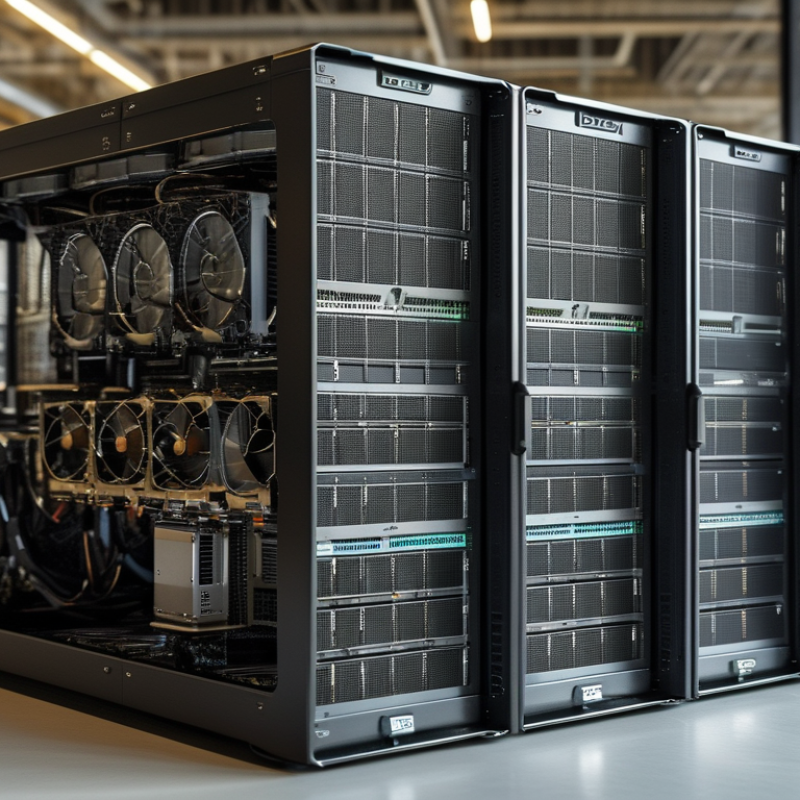
Their purpose is practical. Rack installation saves floor space, improves cable management, and simplifies maintenance. In my installation experience, a clearly labeled cabinet reduces troubleshooting time.
However, a neat rack can still be poorly planned. Buyers should check equipment depth, rail compatibility, power requirements, and local electrical conditions before ordering.
The main categories include rack servers for computing workloads, network switches for data connections, and storage systems for centralized files or applications.
Power distribution units manage electrical delivery across the cabinet. Battery backup systems help protect equipment during short interruptions. Cooling units and blanking panels support stable airflow, especially in dense installations. Security appliances can monitor network traffic and control access.
Each category serves a different operational need. A small office may require one server, a switch, and backup power. A larger facility may need separate cabinets for computing, storage, and communications.
Thermal planning matters. Poor airflow can shorten equipment life, even when every device is technically compatible.
Buyers should also confirm warranty terms, replacement access, installation support, and documentation in their region. Some specifications look impressive on paper. They may not match the actual site.
Global buyers should compare rack mounted devices by measurable specifications, not attractive product descriptions. Start with rack height, depth, width, and mounting method. A device may fit a standard cabinet but still block rear airflow or cable access. Check total weight against the rack’s static and dynamic load ratings. Small differences matter during installation.
Power requirements deserve careful attention. Compare input voltage ranges, frequency support, connector types, maximum wattage, and backup options. A low-power device can reduce operating costs, but poor thermal design may create hidden risks.
Review airflow direction, fan redundancy, operating temperature, humidity limits, and permitted installation altitude. Devices for dusty warehouses need stronger environmental protection than equipment used in clean data rooms.
Network and control specifications also influence long-term value. Compare port speed, port count, protocol support, monitoring functions, alert systems, and remote management security. Confirm whether software updates remain available and whether access controls support different operator roles. Check safety certifications, electromagnetic compatibility documents, warranty terms, and service coverage in the destination region. Local support can prevent long delays.
Do not compare every number equally. A common mistake is choosing the highest capacity without checking power, cooling, or maintenance space.
A more careful review uses the buyer’s actual rack diagram and workload. Leave room for cables and future expansion. The comparison may still be imperfect. Recheck assumptions after installation, because real heat, noise, and service access can differ from the specification sheet.
Top Rack Mounted Devices for Global Buyers
Rack-mounted devices should begin with cabinet geometry, not features. A 19-inch rack is common, yet usable depth varies widely. Measure equipment depth, rear cable space, rail adjustment, and the rack’s U capacity. A 2U device may need 3U of practical clearance. IEC 60297 provides useful mechanical guidance, while regional buyers should verify voltage, frequency, plugs, and safety markings before ordering. Compatibility failures are often physical, not technical.
Power planning needs more than the nameplate rating. Calculate peak load, startup current, outlet type, and redundancy requirements. Uptime Institute’s 2024 Global Data Center Survey reported an average power usage effectiveness of about 1.56. That figure shows why inefficient cooling can become a procurement cost. ASHRAE TC 9.9 guidance also supports checking inlet temperature and humidity ranges. High-density computing may require direct liquid cooling, while ordinary networking equipment usually fits conditioned air systems. I have seen installations pass testing, then struggle after adding only two devices. The spreadsheet was correct, but the assumptions were not.
Tips: Leave 20–30% rack power and space capacity when possible. Confirm airflow direction before mixing devices. Check network speeds, port types, operating systems, mounting rails, and management protocols. Ask for tested interoperability evidence, not only a compatibility list. Global logistics also matter; a device that fits the rack may still fail local certification or service expectations. Recheck every detail. Small omissions become expensive delays.
Representative planning values for common rack-mounted equipment classes. All examples use the widely adopted 19-inch rack format; rack height follows EIA-310 conventions, where 1U equals 44.45 mm.
Power and cooling requirements increase with processing density. Cooling values are calculated using the standard engineering conversion of 1 watt ≈ 3.412 BTU/h. Buyers should verify rack depth, power-feed type, connector standards, airflow direction, and available cooling capacity before installation.
Rack-mounted devices help global buyers organize servers, network controls, storage, and power systems in limited cabinet space. Yet the rack is not the main purchasing risk. Security design and regional compliance can determine whether equipment is deployable, insurable, and serviceable. Buyers should verify enclosure strength, airflow direction, cable access, locking panels, and documented access controls. Strong encryption still requires secure installation, updated firmware, and restricted administrator access. In practice, overlooked physical access can weaken an otherwise capable system. This is easy to underestimate.
Standards vary by destination, voltage, plug type, radio function, and environmental conditions. Ask suppliers for current test reports, declarations, safety certificates, EMC evidence, and environmental ratings. Match every document to the exact model, power supply, and hardware revision. Generic certificates create uncertainty.
Data protection obligations may also affect logging, remote maintenance, and storage location. Some buyers discover late that support records contain personal data. Regional import rules, labeling, language requirements, and recycling duties also matter. Local compliance specialists are valuable for wireless, telecom, and critical infrastructure installations.
Tips: Measure rack depth before ordering. Check power compatibility at the installation site. Request sample documentation early. Keep firmware records and access logs. Do not treat a supplier checklist as final proof. Independent review is sometimes slower, but it can prevent costly rework.
Choosing rack-mounted devices requires more than comparing processor speed or storage capacity. Global buyers should confirm rack depth, mounting rails, power input, and shipping dimensions. A unit that fits one cabinet may block airflow in another. Ask suppliers for detailed drawings, load ratings, noise levels, and tested operating temperatures.
Installation planning prevents expensive surprises. Measure doorway widths, floor strength, and cable paths before delivery. Confirm local electrical requirements with a qualified technician. Use separate power circuits when the equipment load demands it. Leave space between heat-producing devices and install blanking panels where appropriate. I have seen crowded cabinets overheat because the layout looked efficient on paper. It was not.
Long-term maintenance should influence the purchase decision. Select devices with accessible filters, replaceable fans, clear diagnostics, and widely available spare parts. Request service manuals, firmware procedures, and realistic warranty terms in writing. Keep serial records, installation photos, and temperature readings in a shared maintenance log. Remote monitoring can reveal rising temperatures before shutdown occurs. Still, sensors need calibration and human review. They are not magic. Plan inspections around dust, vibration, cable strain, and battery condition. Local technicians may need training, especially where the supplier has no nearby service team. A lower purchase price can become costly when one small component requires urgent international shipping. Recheck the support plan annually, because operating conditions and staffing rarely stay unchanged.
| Priority | Rack-Mounted Device Category | Typical Rack Size | Common Technical Range | Key Purchasing Factors | Installation Requirements | Routine Maintenance | Typical Service Life | Indicative Budget Range | Global Buyer Suitability |
|---|---|---|---|---|---|---|---|---|---|
| 1 | Managed Network Switch | 1U | 24–48 Ethernet ports; 1–10 Gb/s uplinks; optional Power over Ethernet; dual power input on higher-availability models | Port speed, uplink capacity, switching performance, VLAN and security features, operating-temperature range, regional power compatibility, and software support terms | Install in a ventilated rack; reserve cable-management space; use Cat 5e or better for Gigabit Ethernet and appropriate fiber or copper cabling for higher speeds; connect to protected power | Review logs and firmware quarterly; inspect cables and transceivers; clean air intakes every 6–12 months; test redundant power paths where fitted | 5–8 years in standard enterprise environments | Approximately US$300–US$8,000, depending on port count, uplink speed, and redundancy | Very High |
| 2 | Uninterruptible Power Supply | 2U–4U | 1–10 kVA; line-interactive or online double-conversion topology; replaceable battery modules on many designs | Load capacity, runtime at the required load, battery replacement availability, transfer performance, input voltage range, efficiency, bypass capability, and local electrical approvals | Verify rack weight capacity and airflow direction; provide correctly rated circuits; leave front and rear service clearance; commission battery monitoring and shutdown communication | Check battery health and alarms monthly; perform runtime testing according to the maintenance plan; keep batteries within the specified temperature range; replace batteries commonly after 3–5 years | 8–12 years for the power electronics; batteries usually require earlier replacement | Approximately US$1,000–US$15,000, excluding extended battery cabinets and installation | Very High |
| 3 | Rack Server | 1U–4U | Single- or dual-socket processors; 32 GB to several terabytes of memory; solid-state or hard-disk storage; 10–100 Gb/s networking on advanced configurations | Processor performance, memory expansion, storage redundancy, virtualization support, remote management, spare-parts availability, warranty coverage, and total power draw | Use matched rack rails; balance equipment weight; connect redundant power supplies to separate circuits; configure airflow clearance and secure network cabling | Apply tested security and firmware updates; monitor temperatures, disks, fans, and memory errors; review backups; clean filters and inspect fans every 6–12 months | 4–7 years, depending on workload and refresh policy | Approximately US$1,500–US$25,000, depending on processors, memory, storage, and accelerators | Very High |
| 4 | Network Security Appliance | 1U–2U | Multi-gigabit firewall throughput; encrypted traffic performance varies significantly; multiple copper and fiber interfaces; optional high-availability operation | Real-world throughput with security services enabled, encrypted traffic capacity, subscription requirements, update policy, logging, centralized management, and regulatory compatibility | Place at a controlled network boundary; provide redundant links where required; configure management access separately; document failover and recovery procedures | Review security events continuously; test backups and failover at least twice yearly; apply validated updates promptly; confirm license and certificate expiration dates | 5–7 years, subject to security-update availability | Approximately US$1,000–US$20,000, with recurring software or security-service costs possible | High |
| 5 | Rack-Mounted Storage Array | 2U–4U | 12–60 drive bays; redundant controllers on higher-availability systems; RAID or erasure coding; 10–100 Gb/s host connectivity | Usable capacity after redundancy, random and sequential performance, drive compatibility, controller failover, expansion method, backup integration, and data-protection features | Install with manufacturer-rated rails; use redundant power and data paths; label drive positions; confirm rack loading and provide adequate cooling for dense disks | Monitor drive health and rebuild status; test restores regularly; update controller firmware during approved maintenance windows; replace failed drives with compatible units | 5–8 years, with storage drives often replaced earlier based on workload and health data | Approximately US$3,000–US$40,000, excluding high-capacity expansion shelves and backup media | High |
| 6 | Rack-Mounted Power Distribution Unit | 0U vertical or 1U–2U horizontal | Basic or metered distribution; commonly 8–24 outlets; single- or three-phase input; outlet and circuit ratings vary by region | Input connector, outlet format, voltage and current rating, metering accuracy, remote switching, circuit protection, temperature rating, and local electrical certification | Match the PDU rating to the upstream circuit and plug type; avoid exceeding outlet or circuit limits; secure vertical units properly; keep power and data cables separated where practical | Inspect plugs, outlets, cables, and temperature readings every 6–12 months; verify metering; test alarms and remote switching where available | 10–15 years when operated within rated limits | Approximately US$100–US$3,000, depending on phase, metering, switching, and outlet configuration | Very High |
| 7 | Rack-Mounted KVM Console | 1U | Integrated display and keyboard; 8–32 connected systems through digital or analog interfaces; optional remote access | Supported video resolutions, connector compatibility, secure access controls, keyboard layout, console reach, cable quality, and replacement parts | Install at an ergonomic rack position; ensure the sliding mechanism is locked; route cables without restricting drawer movement; protect the console from excessive vibration | Clean the display and keyboard; inspect hinges and rails; update firmware where applicable; test access to critical systems every quarter | 7–10 years in controlled environments | Approximately US$300–US$4,000, depending on port count and remote-management capability | High |
| 8 | Rack-Mounted Audio/Video Encoder or Recorder | 1U–2U | Multiple video or audio inputs; network streaming; local or removable storage; supported resolution, frame rate, and compression depend on the application | Input and output standards, encoding performance, storage retention, network bandwidth, synchronization, regional broadcast requirements, and export formats | Provide stable network connectivity and adequate cooling; confirm time synchronization; use shielded or correctly rated signal cabling; configure storage redundancy when required | Check storage health and recording integrity monthly; review time synchronization; clean air paths; update software during planned service windows | 5–8 years, depending on recording workload and software support | Approximately US$500–US$10,000, excluding cameras, displays, and storage expansion | Medium to High |
| 9 | Rack Environmental Monitoring Gateway | 1U or half-rack | Temperature, humidity, leak, smoke, door, and power sensors; Ethernet or cellular notification options | Sensor accuracy, alert channels, local logging, protocol support, battery backup, data-retention policy, and compatibility with facility-management systems | Mount sensors at representative locations; avoid placing temperature sensors directly in exhaust airflow; route low-voltage sensor cables separately from mains cables | Verify sensor readings every 3–6 months; test alerts and battery backup; calibrate or replace sensors according to their specifications | 7–10 years for the gateway; sensors may require periodic calibration or replacement | Approximately US$250–US$5,000, depending on sensor count and integration requirements | High |
| Planning note: Actual prices, power consumption, rack depth, compliance requirements, and service life vary by configuration, country, electrical system, shipping conditions, workload, and support agreement. Buyers should confirm local voltage, plug standards, import requirements, warranty coverage, spare-parts availability, and total cost of ownership before purchase. | |||||||||